Field note
Prompting vs browser annotations in Codex
So you wanna compare direct Codex prompting with the browser workflow?
- Prompt engineers
- Developers
- GPT 5.5 / Medium
In this post, I explore Codex’s new in-app browser workflow and compare it to direct prompting.
The question is simple: when is direct prompting enough, and when is it worth opening the in-app browser and annotating the screen? I’ve done an apples-to-apples test.
But, first of all …
What is the Codex in-app browser?
Introduced in mid-April, the in-app browser lets Codex interact directly with your running local application.
It allows Codex to:
- click, type, or navigate the UI
- inspect rendered state
- take screenshots
- verify changes in a real page
TLDR; How to use it
- Enable the Browser plugin
- Ask Codex to use the browser, or reference it with
@Browser - Highlight sections of the UI and add annotations
- Prompt Codex to react to the comments
“The in-app browser does not support authentication flows, signed-in pages, your regular >browser profile, cookies, extensions, or existing tabs. Use it for pages Codex can open >without logging in.”
Working scenario
I wanted to update an existing listing page’s filtering capability. It currently has simple sidebar links that filter the articles in groups of categories. The user can filter the listing by one attribute at a time. The task is to convert that sidebar navigation into a faceted search experience.
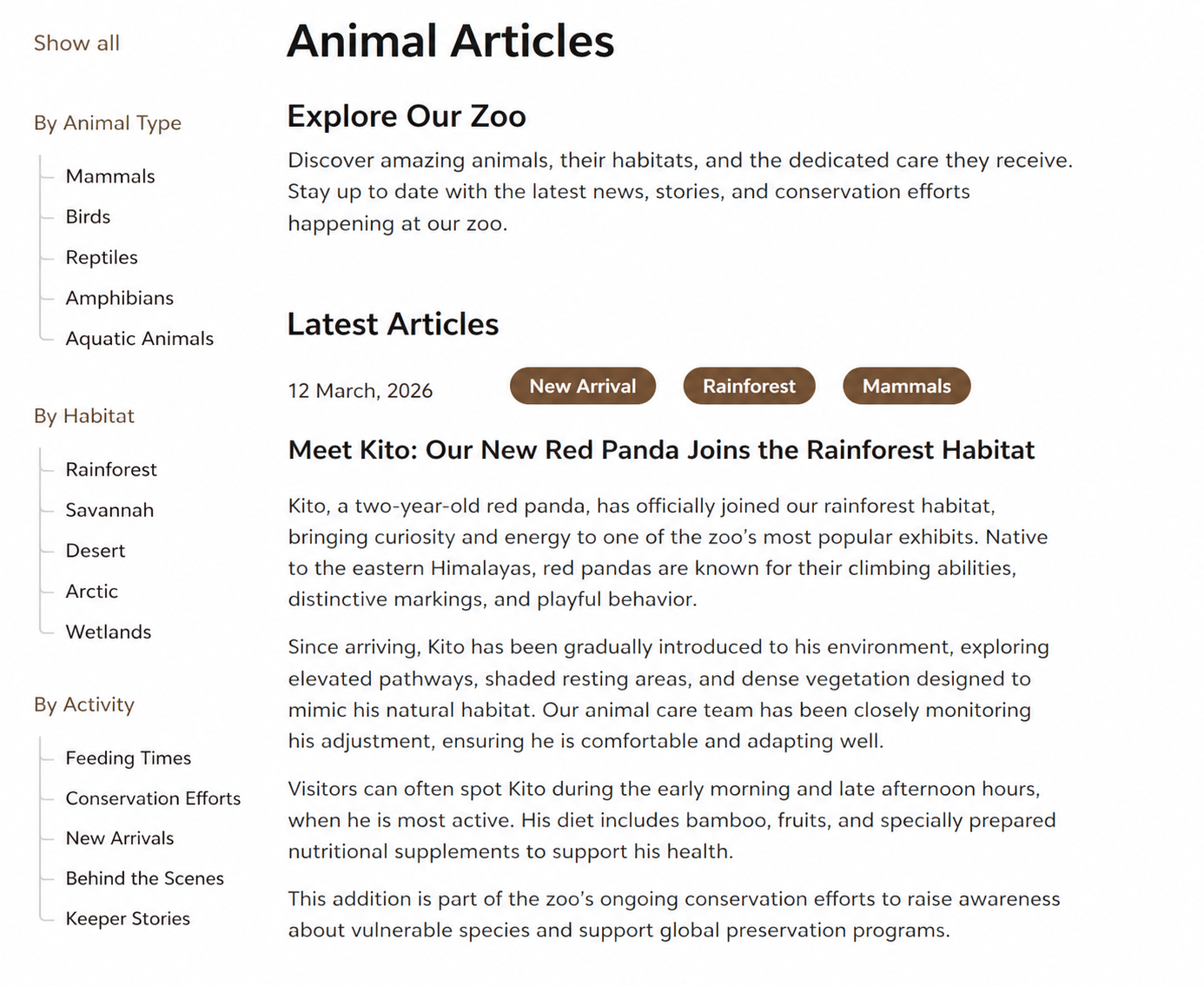
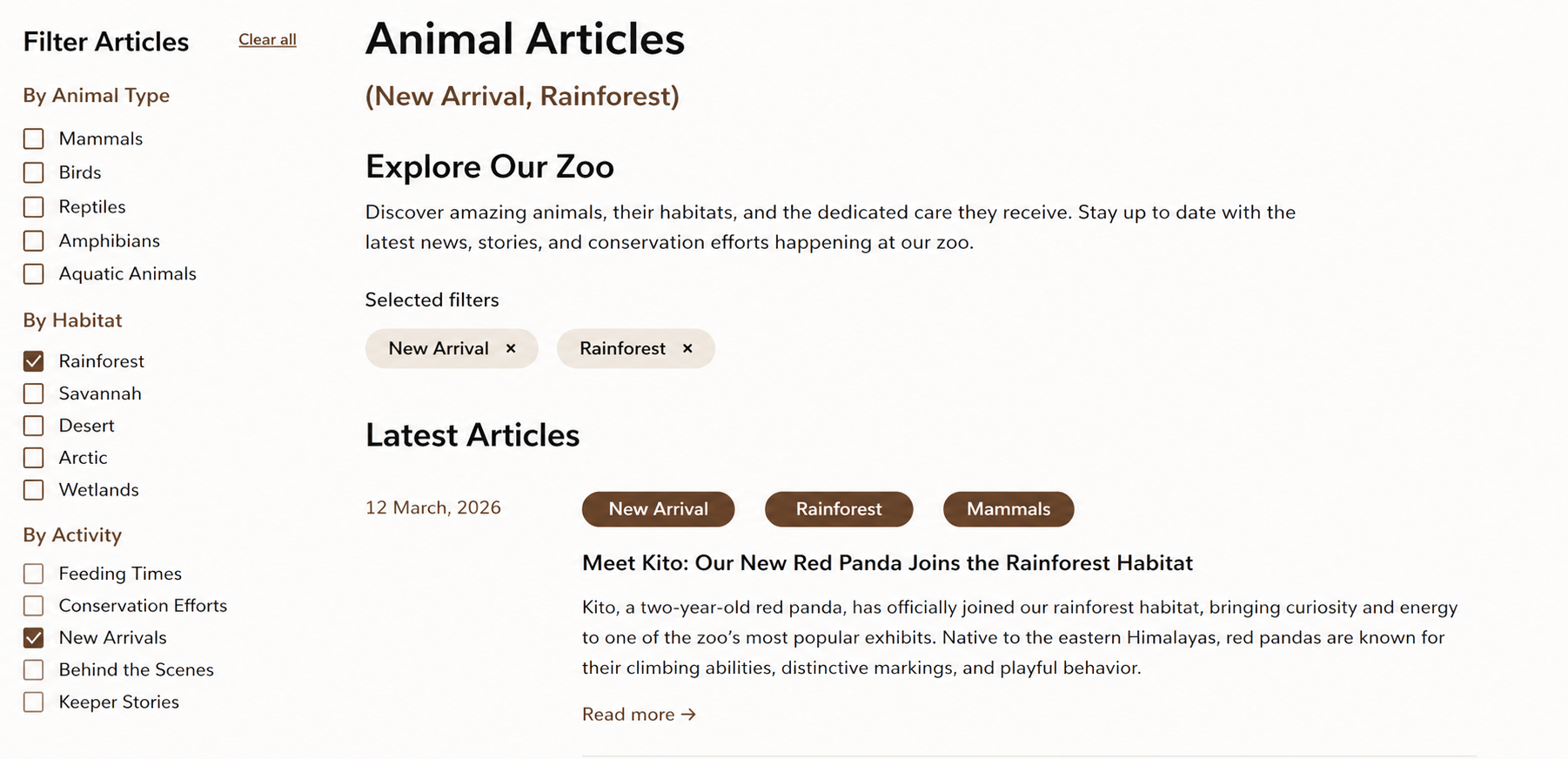
The user should be able to select more than one facet at a time, as well. The selected facets need to appear above the listing to show what is active and be able to remove filters.
That makes the task spatial. We need to know:
- Where should the facet controls live?
- Where should selected facets appear?
- How should the new controls relate to the existing content area?
- What should remain visually secondary?
Those questions are harder to communicate within a prompt.
The two approaches
I compared two approaches in Codex GPT 5.5, Medium.
Single prompt
The first is direct prompting in Codex. I describe the page, the current sidebar navigation, the desired faceted search behavior, and where I want selected facets to appear.
On the /articles page, convert the sidebar nav to a faceted search.
Allow for multiple selections within a group using 'OR' and inter-group using 'AND'.

Show the selected facets above the "Latest Articles" heading on the view.
Show all selected facets here, not just the latest selected and allow them to be removed.
In-app browser annotations
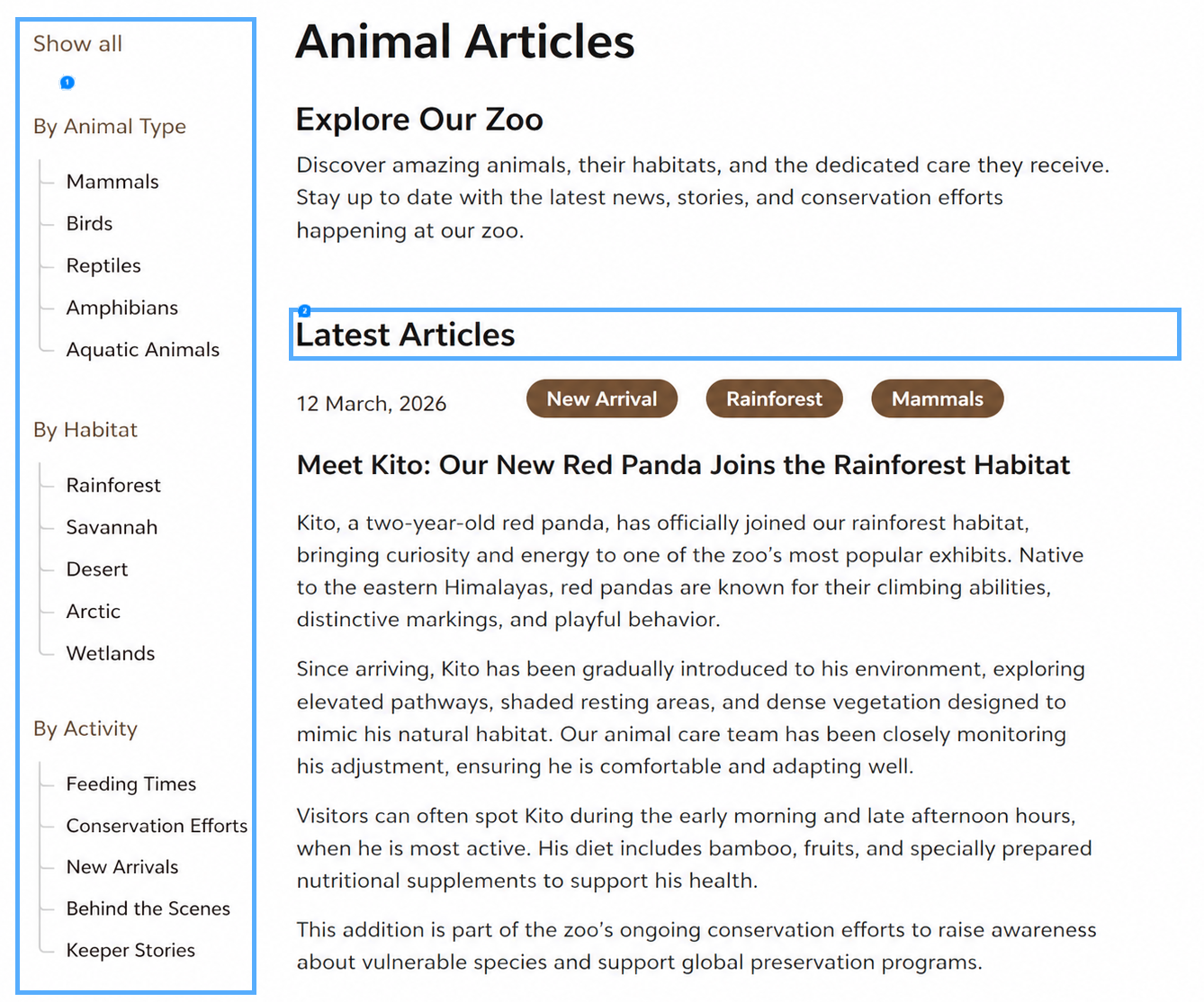
The second uses the in-app browser with annotations and comments. I open the page, point at the relevant areas, and use the visible screen as part of the instruction. Instead of describing every relationship in a prompt, I can show Codex where the change belongs.

The annotations above were added to the two rectangular areas denoted below:
Results
Both methods returned similar results and the facets correctly worked under both scenarios.
Verdict
For this scenario, direct prompting was faster. It uses less context but depends heavily on how clearly I describe the current UI and the desired placement. Tokens: 114K.
The in-app browser approach took about 10 minutes longer in this test, likely because it was processing unnecessary DOM. Also, some of that time was used figuring out how to use the browser. Tokens: 191K
The browser gives Codex more visual grounding. It has more information about the page as a user experiences it, including the relationship between the sidebar, main content, selected filters, and nearby sections.
The difference is less about whether Codex can write the code and more about how much page context it has while deciding where the code should land.
What is ‘limited surrounding context?’
One of the most useful lessons from this test is the idea of limited surrounding context.
Codex may understand the selected component or snippet, but not the full page layout, nearby interactions, or surrounding design intent unless you explicitly provide that context.
That matters for UI work. A sidebar component can look straightforward in isolation. But the right implementation may depend on the header above it, the content next to it, the empty states below it, the breakpoint behavior, or the way selected filters relate to search results.
Location placement in code can be described in prompting but you may have to look into the code to ‘find that unique div where the new content is rendered’. The visual is helpful to remove yourself from the code. However, this is at a cost. The browser may be absorbing ALL the DOM for the page, which can add up (token-wise).
The key tradeoff
Use direct prompting when the UI change is localized and easy to describe.
Use the in-app browser when spatial context matters.
That includes tasks where you find yourself saying things like:
- Put this here, not there.
- This should sit above the results, not inside the sidebar.
- These selected facets need to be visible without pushing the primary content down too far.
- This section should feel connected to the filters, not like a separate widget.
- The relationship between these two areas matters.
Those instructions are possible to write as text, but they are easy to under-specify. The browser helps because the page itself becomes part of the prompt.
My plan of action
| Situation | Prompt | In-app |
|---|---|---|
| Text changes | ✓ | |
| Backend logic changes | ✓ | |
| Small isolated component updates | ✓ | |
| Refactors with clear code boundaries | ✓ | |
| Layout changes | ✓ | |
| Placement-sensitive UI work | ✓ | |
| Multiple related on-screen regions | ✓ | |
| Visual hierarchy or “put this here” feedback | ✓ |
It boils down to: direct prompting is efficient when the work is easy to describe, and browser annotations are useful when the screen itself carries information the prompt otherwise has to recreate.
Assumptions
You have a rock-solid AGENTS.md file with tested guardrails.
Maybe that’s my next blog post? Creating a iron-clad AGENTS.md file (spoiler alert: it will never be complete)